

What is a Smart Field?
A field that displays a computed value in your collection.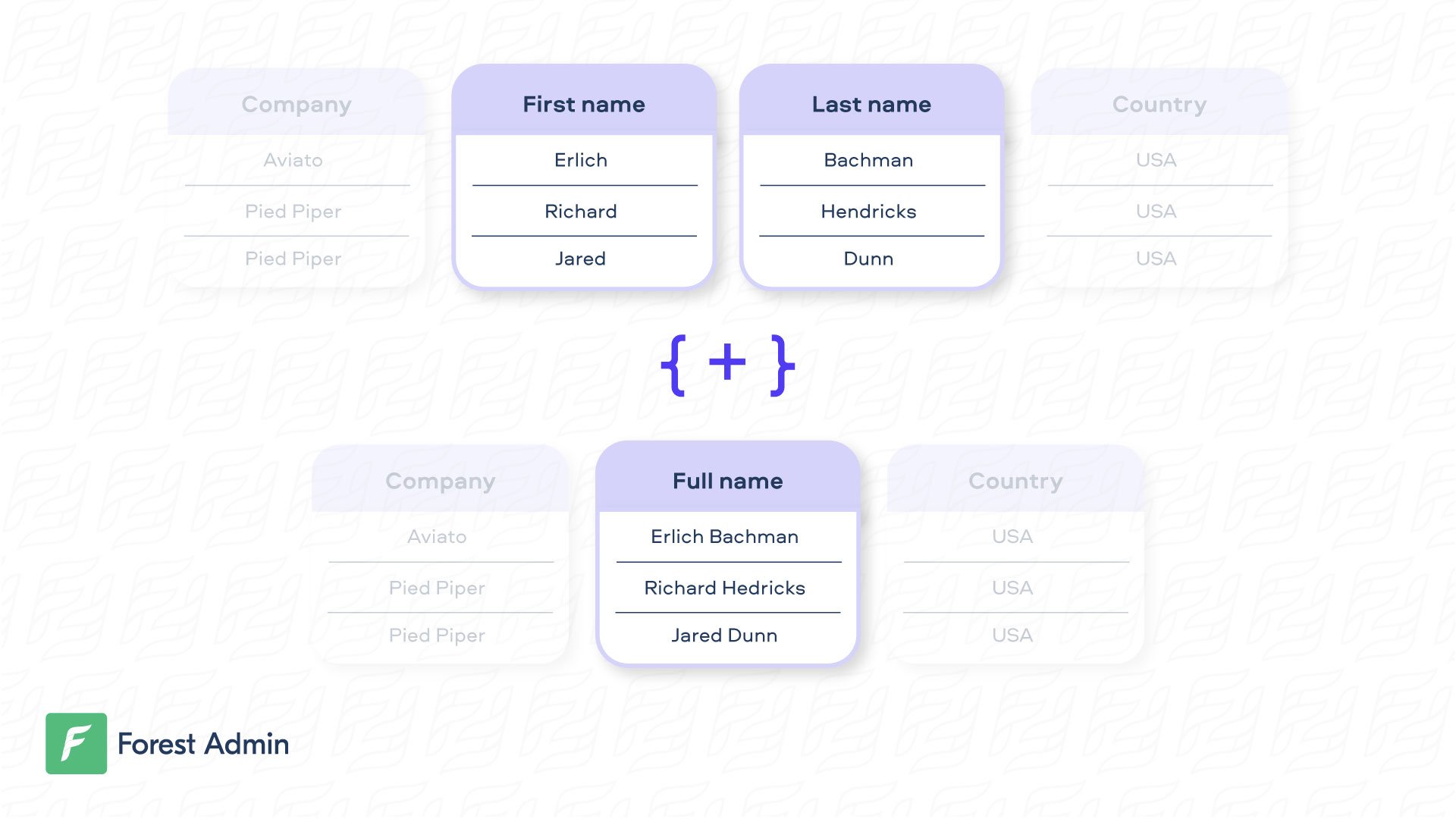
Creating a Smart Field
- SQL
- Mongoose
- Rails
- Django
- Laravel
On our Live Demo, the very simple Smart Field
Very often, the business logic behind the Smart Field is more complex and must be asynchronous. To do that, please have a look at this section.
fullname is available on the customers collection.Very often, the business logic behind the Smart Field is more complex and must be asynchronous. To do that, please have a look at this section.
Updating a Smart Field
- SQL
- Mongoose
- Rails
- Django
By default, your Smart Field is considered as read-only. If you want to update a Smart Field, you just need to write the logic to “unzip” the data. Note that the Working with the actual record can be done this way:
set method should always return the object it’s working on. In the example hereunder, the customer object is returned including only the modified data.For security reasons, the
fullname Smart field will remain read-only, even after you implement the set method. To edit it, disable read-only mode in the field settings.Searching, Sorting and Filtering on a Smart Field
To perform a search on a Smart Field, you also need to write the logic to “unzip” the data, then the search query which is specific to your zipping. In the example hereunder, thefirstname and lastname are searched separately after having been unzipped.
- SQL
- Mongoose
- Rails
For case insensitive search using PostgreSQL database use
iLike operator. See Sequelize operators documentation.Filtering
To perform a filter on a Smart Field, you need to write the filter query logic, which is specific to your use case. In the example hereunder, thefullname is filtered by checking conditions on the firstname and lastname depending on the filter operator selected.
- SQL
- Mongoose
- Rails
Make sure you set the option
isFilterable: true in the field definition of your code. Then, you will be able to toggle the “Filtering enabled” option in the browser, in your Fields Settings.Sorting
Available Field Options
Here are the list of available options to customize your Smart Field:| Name | Type | Description |
|---|---|---|
| field | string | The name of your Smart Field. |
| type | string | Type of your field. Can be Boolean, Date, Json,Dateonly, Enum, File, Number, ['String'] or String . |
| enums | array of strings | (optional) Required only for the Enum type. This is where you list all the possible values for your input field. |
| description | string | (optional) Add a description to your field. |
| reference | string | (optional) Configure the Smart Field as a Smart Relationship. |
| isReadOnly | boolean | (optional) If true, the Smart Field won’t be editable in the browser. Default is true if there’s no set option declared. |
| isRequired | boolean | (optional) If true, your Smart Field will be set as required in the browser. Default is false. |
You can define a widget for a smart field from the settings of your collection.
Building Performant Smart Fields
To optimize your smart field performance, we recommend using a mechanism of batching and caching data requests. Implement them using the DataLoader which is a generic utility to be used as part of your application’s data fetching layer to provide a simplified and consistent API over various remote data sources.Smart field declaration
- SQL
- Mongoose